MetaScope has always worked with the data around your photos.
The dates. The keywords. The creator and rights information. The standard fields that determine whether a library stays findable, licensable, and portable, or becomes a folder of files you can no longer navigate.
Until now, MetaScope could read everything about a photo except the photo itself.
MetaScope 1.5 changes that.
It can now analyse the pixels on your Mac and turn what it sees into standard metadata you control.
Intelligence without the cloud
There is an easy version of this feature that we did not want to build: send every photo to a server, receive a generated paragraph, and write it into the file.
That is not how MetaScope works.
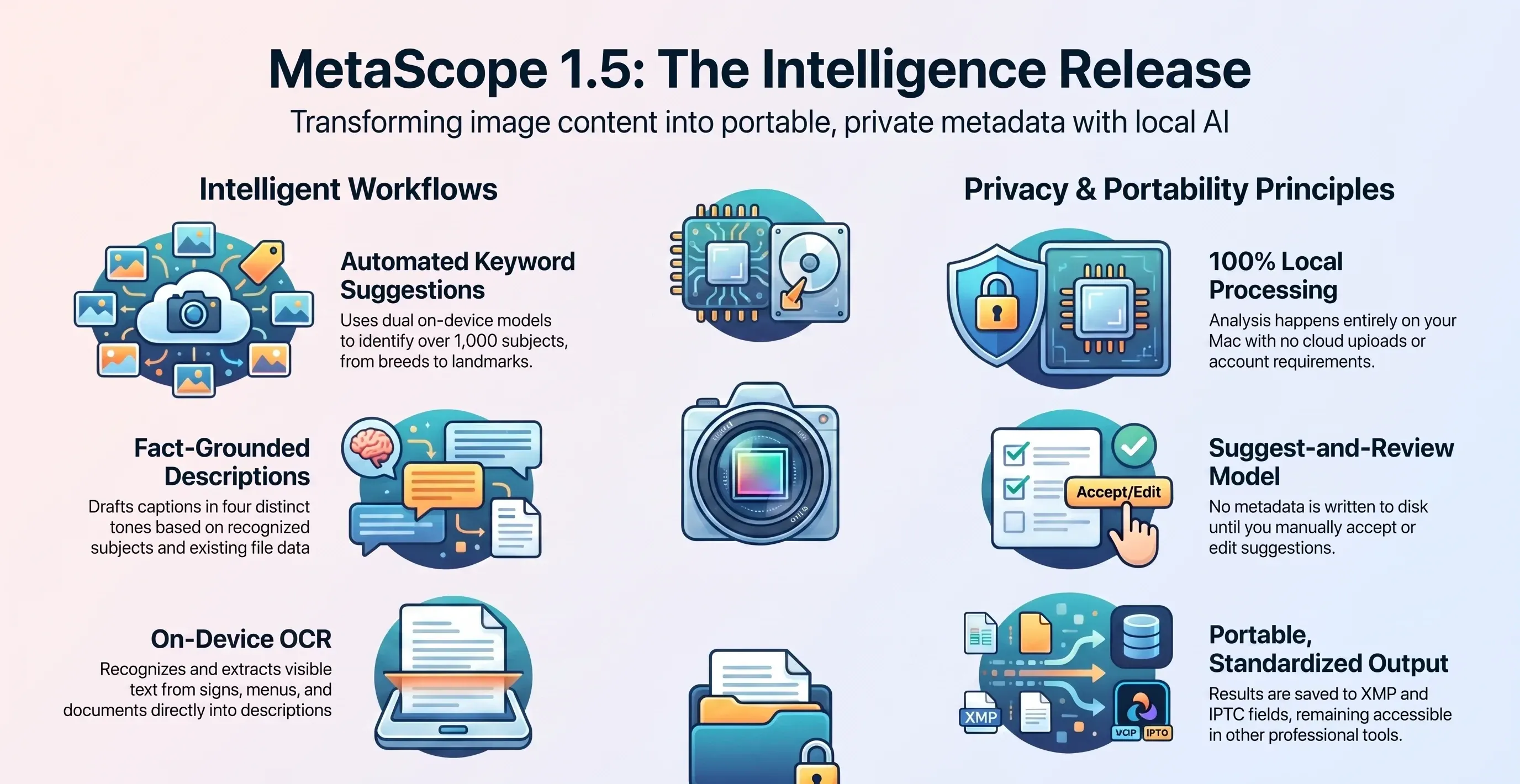
Everything in Image Analysis happens on your Mac. There is no upload, network call, or account requirement. Your photos are never sent anywhere, and the analysis works the same on a plane as it does at your desk.
You enable it under Settings → Intelligence → Image Analysis.
MetaScope then analyses recognised text and scene content locally and stores the results alongside its search index. It can backfill an existing library, not only process newly added files.
The process includes a progress indicator and a Pause control that survives quitting the app. When you resume, MetaScope continues without repeating completed work. It also throttles analysis when your Mac runs hot.
For RAW files, MetaScope analyses the embedded preview rather than performing a heavy full-sensor decode across the entire archive.
That local understanding powers three new workflows.
1. Keyword suggestions based on image content
After analysing a photo, MetaScope can suggest keywords based on what is visible in the frame. Each suggestion identified by Apple’s on-device recognition is marked Vision.
The recogniser covers more than a thousand specific subjects, including dog and cat breeds, foods, plants, flowers, instruments, sports, landmarks, and scene types.
A photo of a Chihuahua can suggest “Chihuahua.” A plate of bruschetta can suggest “Bruschetta.” A badminton match can suggest the corresponding sport.
People and animals are recognised too. A portrait can suggest “Portrait,” a group can suggest “People,” and a photo of a dog can suggest the animal.
With Enhanced Recognition enabled, MetaScope Pro runs a second on-device model alongside Apple’s classifier. This bundled SigLIP2 model remains fully offline and can surface subjects that Apple’s classifier misses. These results are marked Enhanced. When both models identify the same subject, the suggestion receives a confidence boost.
Each suggestion also includes a small one-to-three-dot match-strength indicator.
A Recognition Sensitivity control lets you choose between:
- More results
- Balanced
- Higher accuracy
These settings use calibration specific to each subject class rather than applying one flat confidence threshold to every category.
MetaScope never writes these suggestions automatically.
A suggestion only becomes metadata after you accept it. Accepted keywords are written to standard XMP and IPTC keyword fields, so they can travel with the file into Lightroom, a digital asset management system, or another compatible tool.
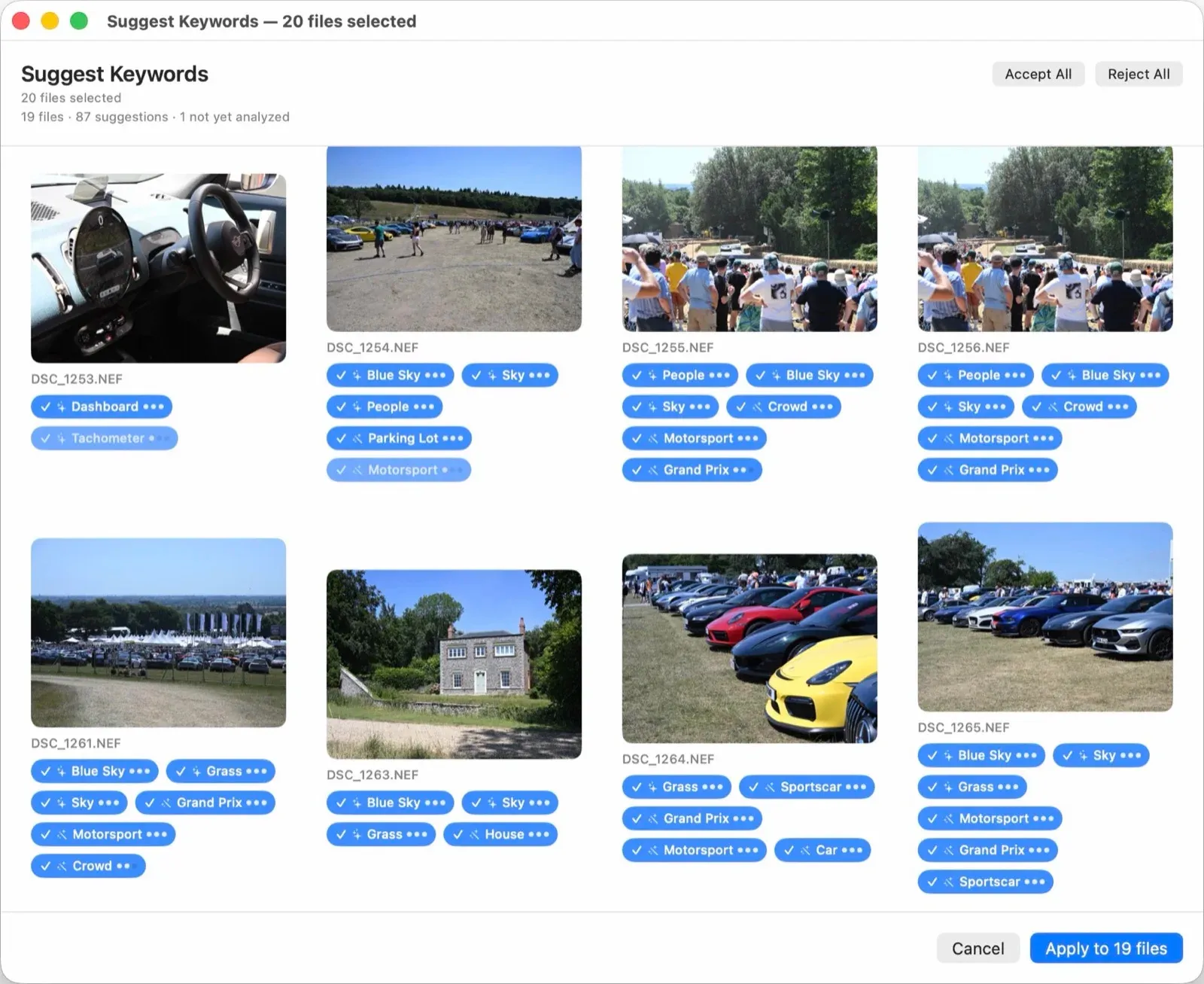
For larger collections, right-click a folder and choose Auto-Keyword Folder…. MetaScope opens a per-image review grid where you can accept or reject suggestions across the folder.
Only the checked keywords are written, and they are merged with each photo’s existing keywords rather than replacing them.
2. Drafted photo descriptions
An analysed photo’s Description field now includes a Draft button.
Pressing it creates a description from recognised image content and facts already present in the file.
A dog on a beach at sunset. Captured in Nice, France on March 15, 2026 using a Nikon Z8.
For multiple photos, choose Tools → Generate AI Descriptions….
MetaScope drafts a description for every selected and analysed photo using one of four tones:
- Stock caption
- Archival record
- Social media
- Fine art
The results open in a review window. Nothing is written until you confirm it, and you can exclude individual photos before saving.
Descriptions are grounded in what MetaScope actually detected. They are designed not to invent people, places, objects, or counts.
3. Text recognition inside photos
Image Analysis also performs on-device optical character recognition.
A photograph of a sign, menu, poster, or document can include meaningful visible text in its drafted description:
…with visible text “Boulangerie Moderne.”
Before that text is used, MetaScope applies a substantiveness check to filter out content such as barcodes, plate numbers, serial numbers, and receipt totals.
Intelligence that leaves the app
Most image-recognition systems are designed to improve the experience inside a particular application. They might power a useful search box, but their understanding often remains locked inside that product.
MetaScope’s output is different.
It produces metadata:
- Real keywords in standard XMP and IPTC fields
- Real text in the photo’s standard Description field
- Information that survives copying, exporting, and migrating the file
The recognition is private and on-device. The output is portable and permanent.
That combination is the point.
Nothing is written until you approve it
Every Intelligence feature in MetaScope 1.5 follows a suggest-and-review model.
Keywords are suggested, and you decide which to accept.
Descriptions are drafted, and you review them before saving.
Existing descriptions remain untouched unless you explicitly choose to overwrite them.
Files that cannot be reached or have not yet been analysed are counted and surfaced rather than silently skipped.
MetaScope can help you produce the metadata, but you remain the person who decides what is written to disk.
Getting started
Metadata Search and all Intelligence features work with folders registered as Libraries.
A new Getting Started guide appears on first launch and remains available under Help ▸ Show Getting Started Tips.
It walks through the initial process:
- Register a Library.
- Turn on Image Analysis.
- Review the keyword suggestions and drafted descriptions.
Why this release matters
MetaScope began as a metadata inspector.
Version 1.3 made it a more capable keywording tool. Version 1.4 gave that system a dedicated home in the Workbench.
Version 1.5 is the point where MetaScope stops relying entirely on metadata a photo already contains.
It can now create new metadata from the image itself:
- Keywords from its content
- Descriptions from recognised subjects and scenes
- Text from visible words in the frame
All of it happens privately on your Mac and is written into fields you control.
That is what makes MetaScope 1.5 the Intelligence Release.
Not that MetaScope now has opinions about your photos, but that it can turn what it sees into the same durable, portable metadata the rest of the application is built to manage.
For the models behind these features, and how we selected, calibrated, and integrated them on-device, read the technical companion: Inside MetaScope 1.5’s Vision Stack.
MetaScope Pro is required for Image Analysis and all Intelligence features, including Vision and Enhanced keyword suggestions and AI descriptions. Enhanced Recognition is off by default and includes an additional bundled on-device model, resulting in a larger initial app download. A Pro subscription can be started from within the app.